Anki alternative for iPhone · verified 9 September 2026

An iPhone-first alternative to Anki—without hiding Anki's strengths

If you mainly study on iPhone and want to begin without an account or scheduler setup, Memor More is the simpler starting point. Choose AnkiMobile instead when you need Anki's mature shared decks, FSRS controls, custom card types, very large collections, desktop add-ons or cross-platform sync.

Memor More made this page, so it is not an independent review. The facts below separate our direct iPhone tests from official Anki documentation, name the evidence gaps, and include cases where we would choose Anki—or neither product.

Prices vary by storefront and can change. The figures below are from the US App Store on the verification date.

How this comparison was checked

We ran Memor More 1.3.3 (5), free plan, on an iPhone 16 Pro simulator with iOS 18.6 on 9 September 2026. We copied a public Spanish deck, opened its first card and completed one review. We also imported a controlled package exported from Anki desktop 25.09. The US storefront supplied both prices.

Important limit: AnkiMobile itself was not installed for this run. Its iPhone-specific facts come from the current US App Store listing and official Anki manual, while Anki 25.09 desktop was used only to build the migration fixture. We do not label those documentation checks as hands-on AnkiMobile tests.

Memor More and AnkiMobile on iPhone

Matrix verified 9 September 2026. “Anki” is broken down by client where that changes the answer.

Decision pointMemor MoreAnki ecosystem
US iPhone priceFree core app. Optional Pro was US$4.99/month or US$44.99/year.AnkiMobile was US$24.99 once.
SchedulingSM-2 is the default per deck; Simple Exponential and Leitner are also available.FSRS or legacy SM-2. FSRS exposes desired retention and parameter optimisation.
First iPhone setupNo account required for the core app. Create, import or copy a public deck.Install AnkiMobile, then create locally or sync an existing Anki collection through AnkiWeb.
Offline studyReviews and locally stored decks work offline.Reviews and locally stored decks work offline.
Sync pathPrivate iCloud sync across supported Apple devices when enabled.Optional AnkiWeb sync across Anki clients; a self-hosted sync server is also documented.
PlatformsiPhone, iPad and compatible Apple-silicon Macs; an early, limited browser app. No Android app.Anki desktop on macOS, Windows and Linux; AnkiMobile on iPhone/iPad; AnkiWeb; AnkiDroid on Android.
Card and media toolsFocused two-sided cards with text, images and audio. No cloze or image-occlusion authoring in the tested build.Custom note/card types, cloze, media and image occlusion. Some authoring and note-type changes require desktop.
Anki package migrationImports .apkg text into simple cards, but the tested file did not preserve generated reverse cards; schedule/media/tag parity was not established..apkg and .colpkg are native exchange formats and can include media and scheduling information.
Large collectionsNo high-volume benchmark is published; we did not test a large collection.The AnkiMobile listing says decks of 100,000+ cards are supported.
Add-ons and customisationNo add-on ecosystem; fewer controls by design.A large desktop add-on ecosystem and detailed deck options. Desktop add-ons do not run in AnkiMobile.
SharingA browsable public-deck catalogue with preview and copy flows.A much larger shared-deck ecosystem plus package export/import.
Browser accessEarly browser app: local decks and study, without account sync, AI or offline launch.AnkiWeb supports web review and sync with the main Anki ecosystem.

A real first-review workflow

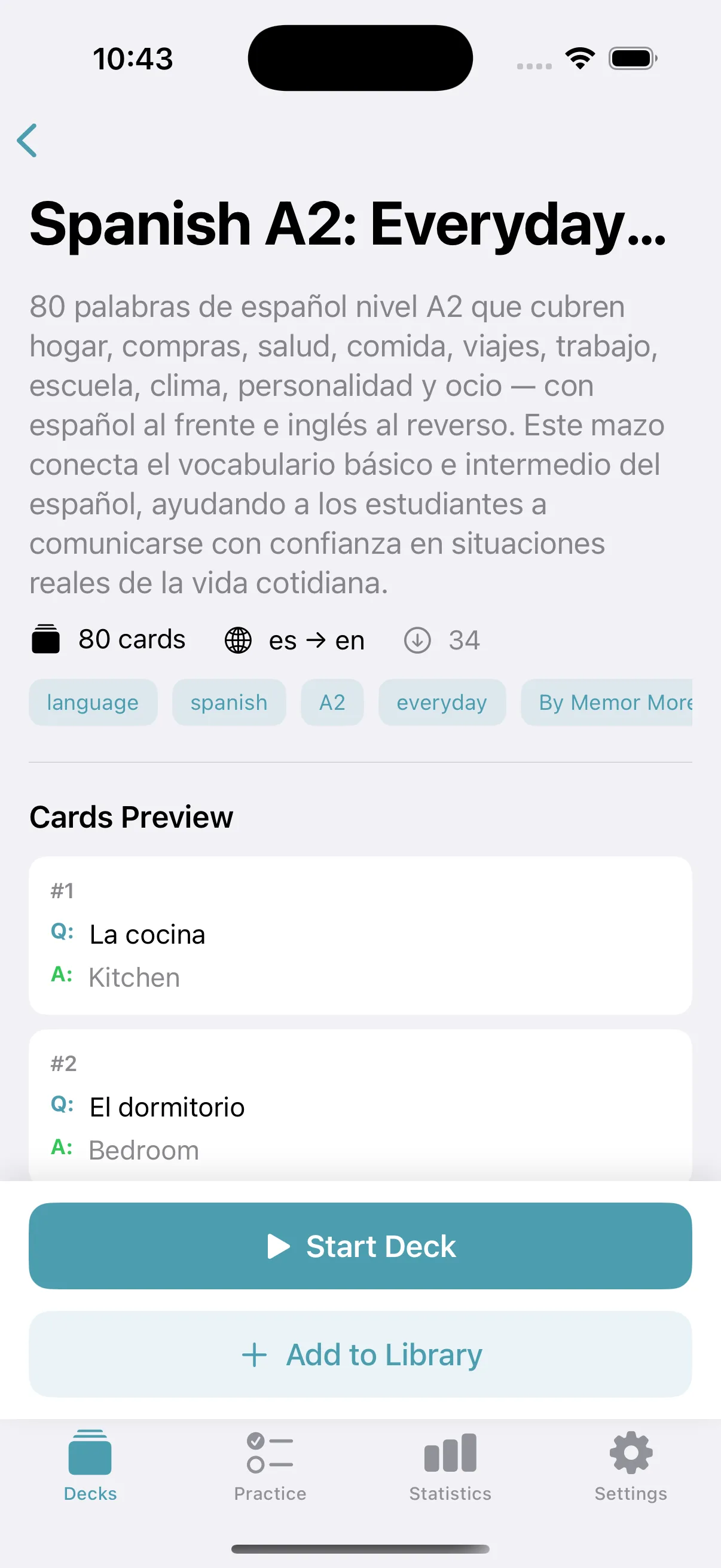
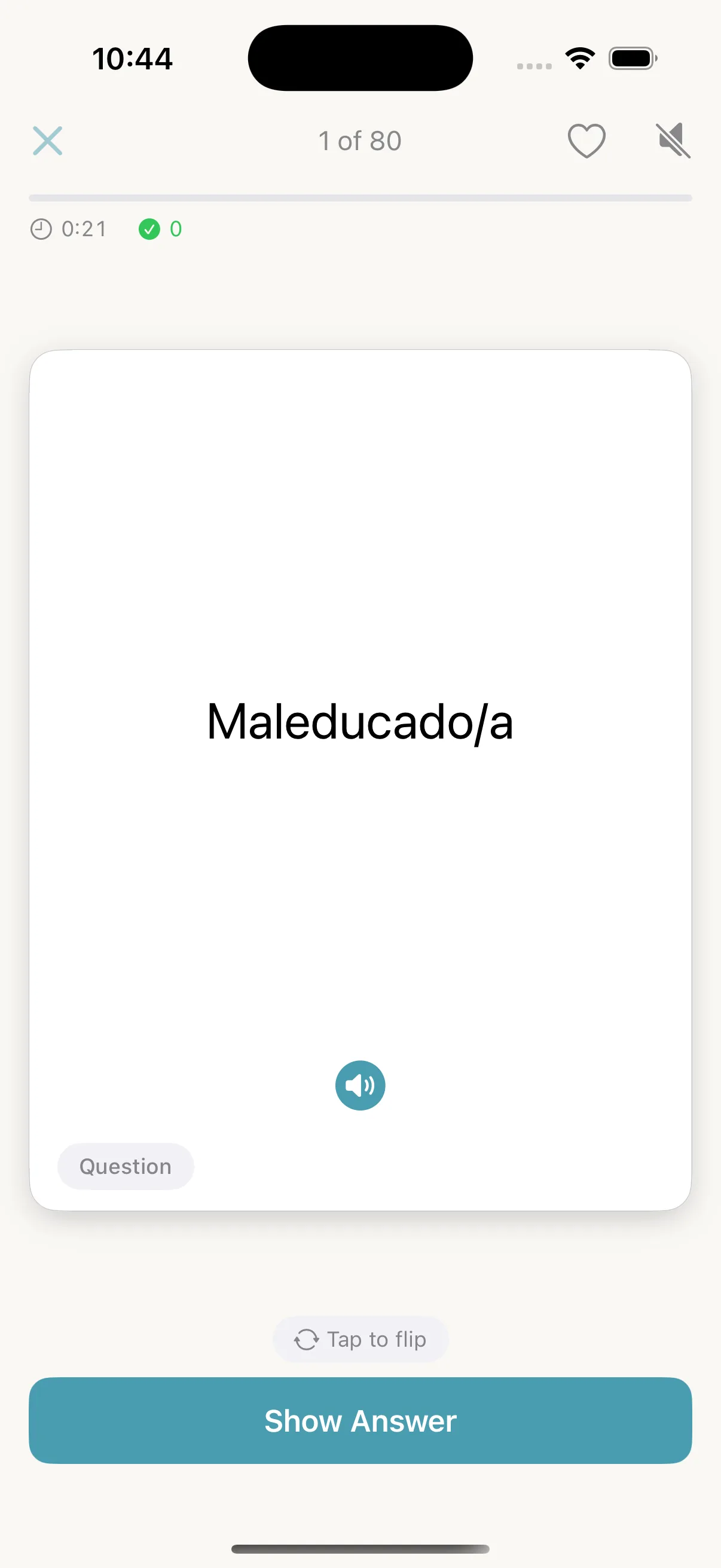
From the home screen we opened Public Decks, selected Spanish A2: Everyday Topics, tapped Start Deck, dismissed the one-time study guide, revealed the answer and rated the card Good. The evidence run lasted 73 seconds including screenshot and inspection pauses; it is not presented as a normal-user speed benchmark.

Memor More 1.3.3 public Spanish A2 deck detail on an iPhone 16 Pro simulator
Choose a deck and preview its scope before copying it.
The first Spanish review card in Memor More 1.3.3 with a Show Answer button
The first prompt is ready after the one-time review guide.
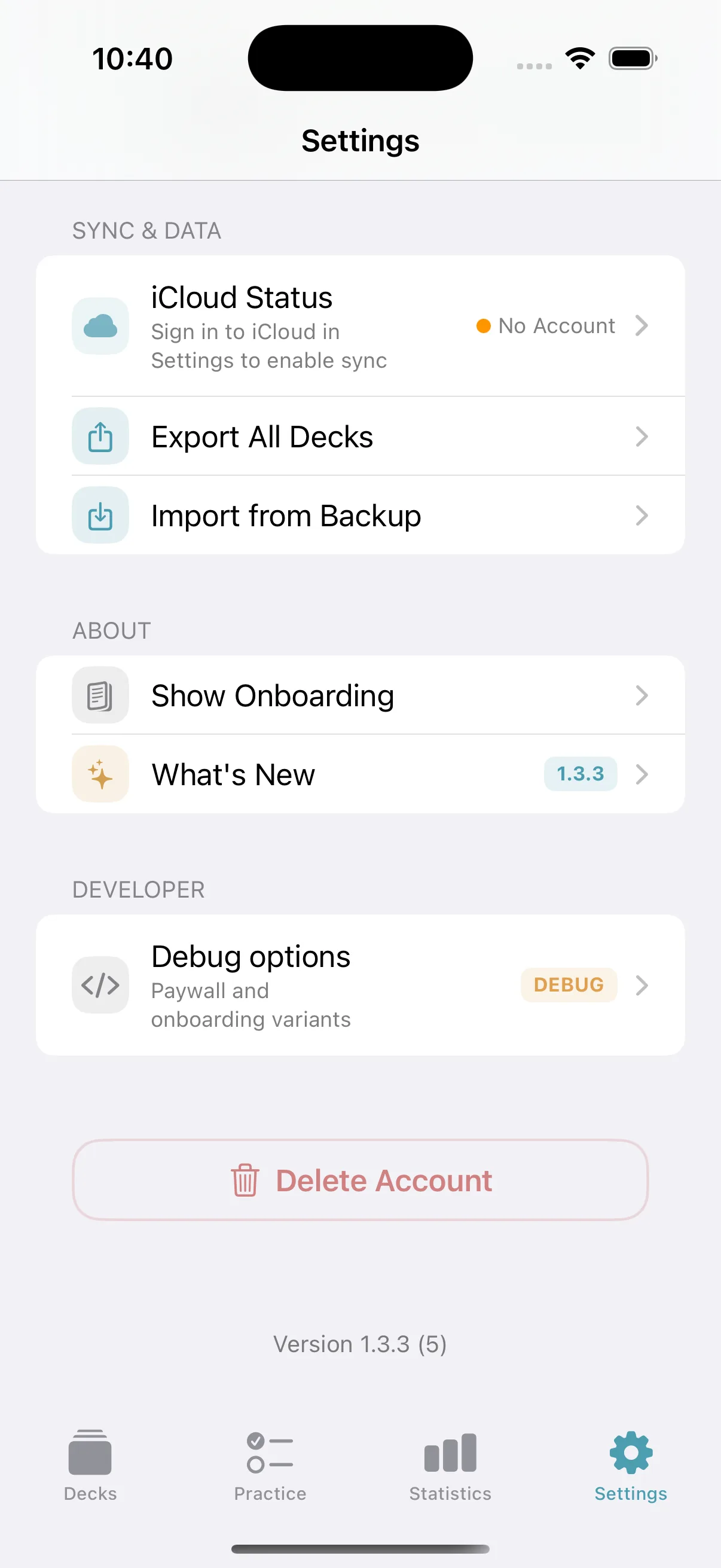
Memor More 1.3.3 data settings showing iCloud status, export, import and the app version
Data settings expose iCloud status and Memor More backup tools.

Choose Anki if…

  • You already have a mature Anki collection and cannot accept migration loss.
  • You rely on cloze deletions, image occlusion, custom templates or desktop add-ons.
  • You study on Windows, Linux or Android as well as iPhone.
  • You need FSRS controls, a self-hostable sync path or a proven very-large-deck workflow.
  • A community Anki deck is central to your course, especially in medicine or languages.

Choose Memor More if…

  • Your daily study device is an iPhone and you want an account-free first session.
  • You prefer a small set of understandable scheduling choices over extensive tuning.
  • Your decks are straightforward two-sided prompts rather than complex templates.
  • Private iCloud sync fits your Apple-only setup.
  • You value a focused native interface and a browsable public-deck starting point.

Price, privacy and migration need separate decisions

Price is regional

On the US storefront, Memor More's core app was free with optional Pro at US$4.99 monthly or US$44.99 yearly; AnkiMobile was US$24.99 once. Check your storefront before deciding. Anki desktop and AnkiWeb are free; third-party “Anki” apps may have unrelated pricing.

See the Free vs Premium breakdown for current trial, AI allowance and cancellation details.

Local does not mean identical privacy

Both apps keep reviewable data on the device and work offline. Optional sync changes the data path: Memor More uses iCloud; Anki normally uses AnkiWeb and also documents self-hosting. Review the relevant provider and app privacy terms for sensitive material.

Migration is lossy

Our Anki 25.09 fixture had two notes and three generated cards, including one reverse card and one image. Memor More reported two cards ready. Do not move an important collection until a copy passes a card-count, media, formatting and due-date audit.

When neither is the right choice

Pick neither if your main work is collaborative live editing, classroom assignment management, handwriting-heavy notes, or complex problem solving that flashcards reduce badly. A shared document, learning-management system, paper notebook or problem bank may fit better. The evidence supports retrieval and spacing, not the claim that every subject should become a flashcard deck.

For the learning-method evidence, read the spaced-repetition research guide. For every test detail, platform definition and source, see the full Anki vs Memor More comparison.

Try one small deck before you migrate anything

Start free, complete a few real reviews, then decide whether the smaller Apple-first workflow is worth the ecosystem tradeoff. Keep your Anki collection untouched while you test.

Download Memor More

Quarterly review owner: Anatolii Valeev · next factual review due 9 December 2026